Multi-stage alarms
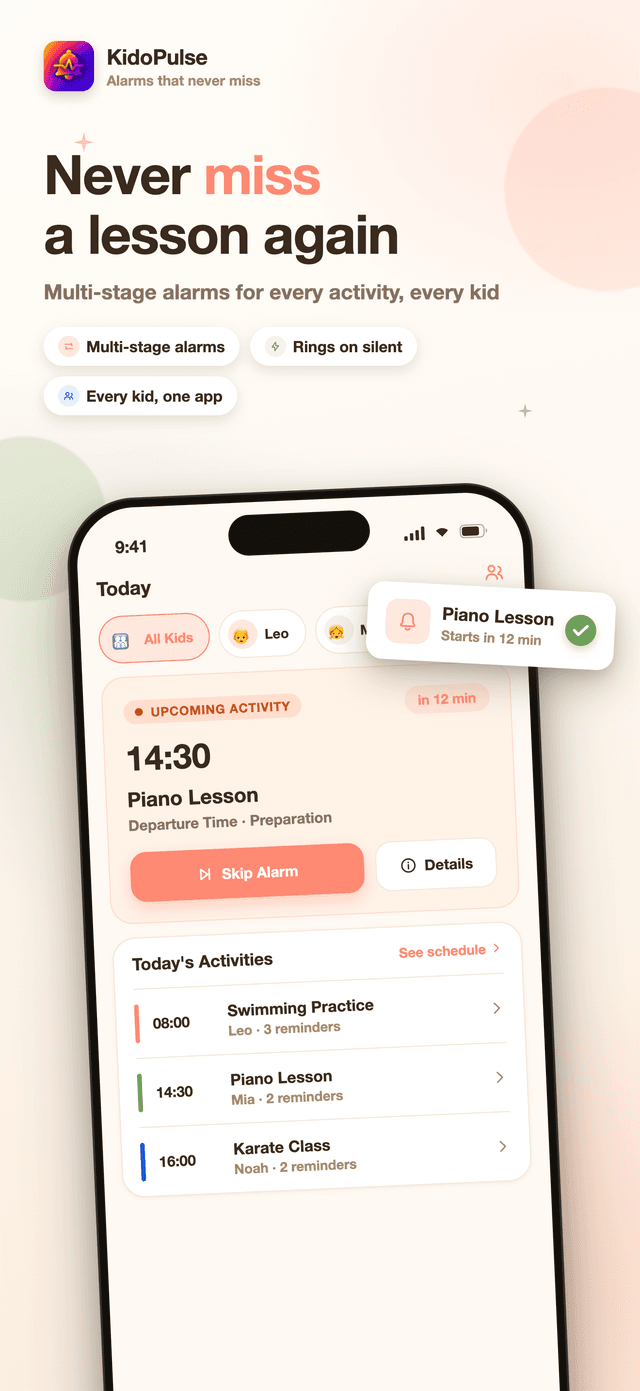
Attach as many alarm stages as an activity needs — a fixed reminder the night before, an offset alarm to leave the house — each with its own label, sound, and priority, so the urgent one doesn't sound like the calm one.
One activity, several alarms
One activity, several alarms. KidoPulse breaks a lesson or practice into stages — gear check the night before, leaving the house, arriving on time — and rings each one as a real alarm that cuts through silent mode, not a notification you can swipe away half-asleep.


Download
multi-stage kid activity alarms
KidoPulse turns a child's activity into a chain of alarms that actually wake you up: pack the bag the night before, leave the house on time, arrive at the door. Built on real system alarms that ring through silent mode, with a profile per child and everything stored on the phone.
Screenshots
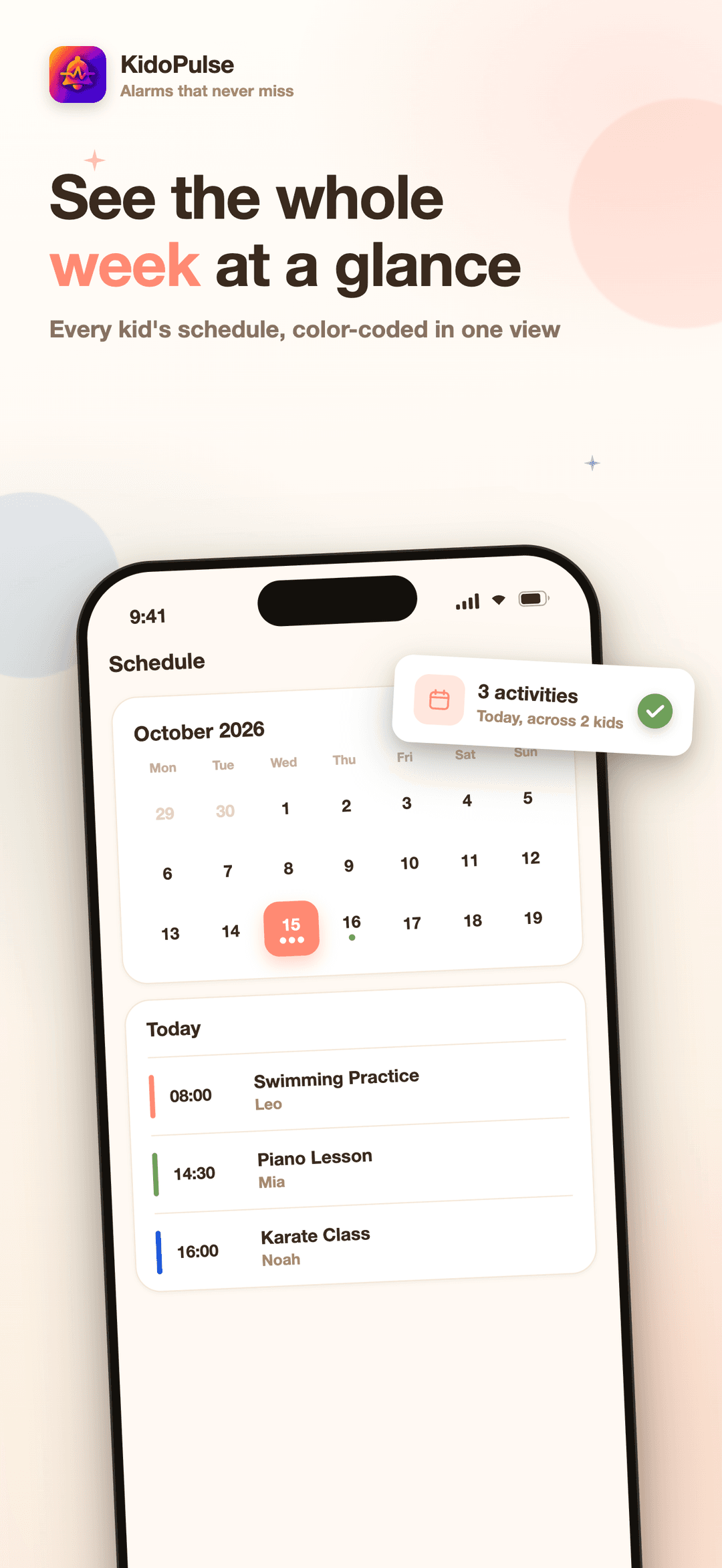
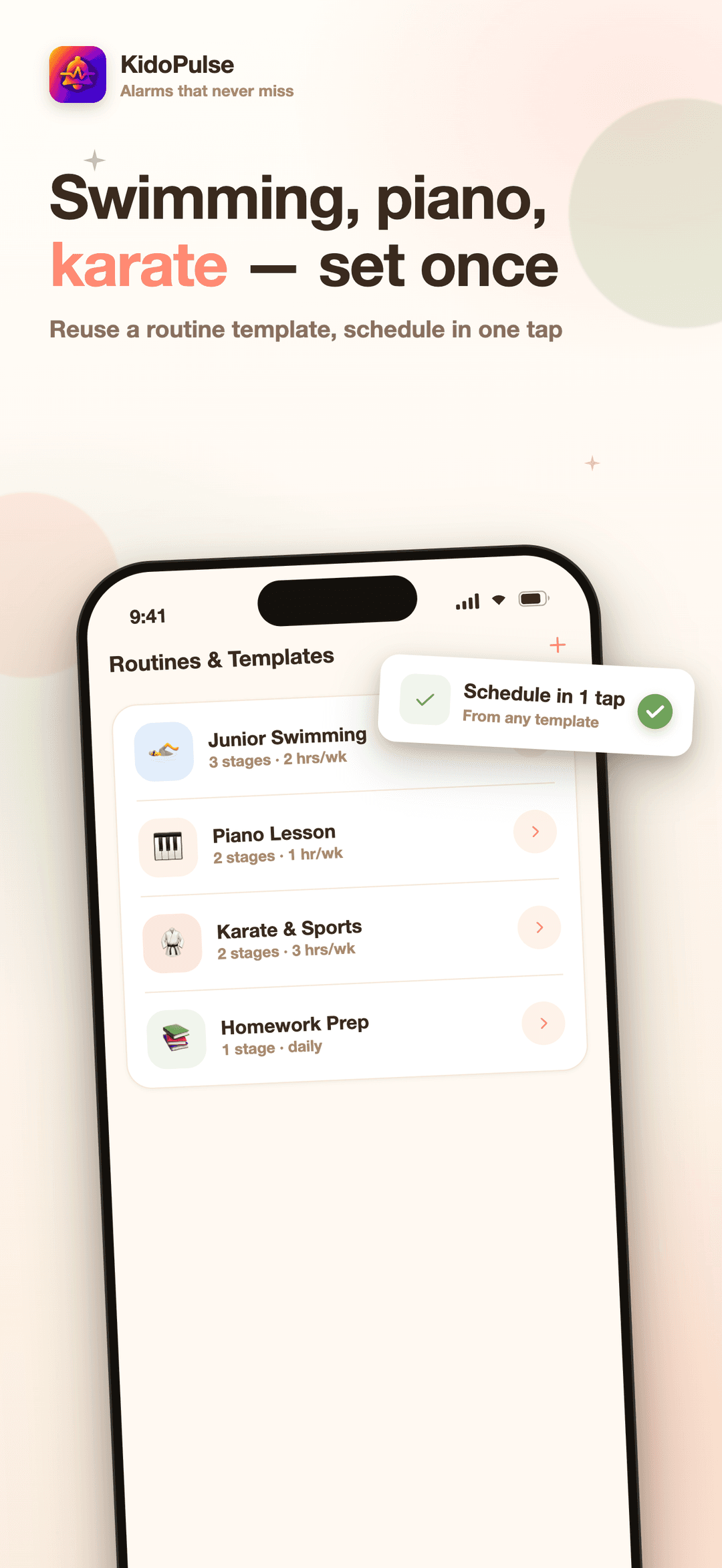
Real screens from the App Store listing.
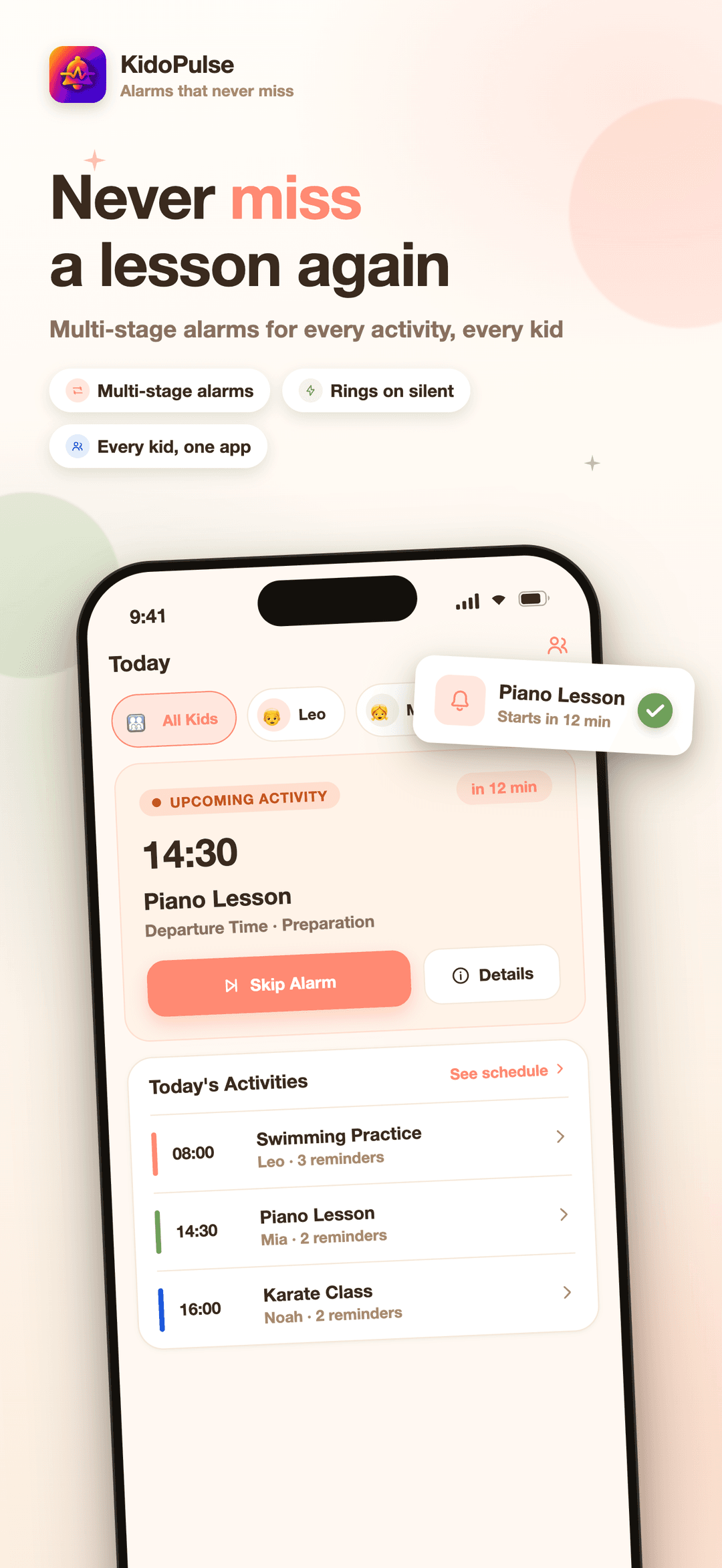
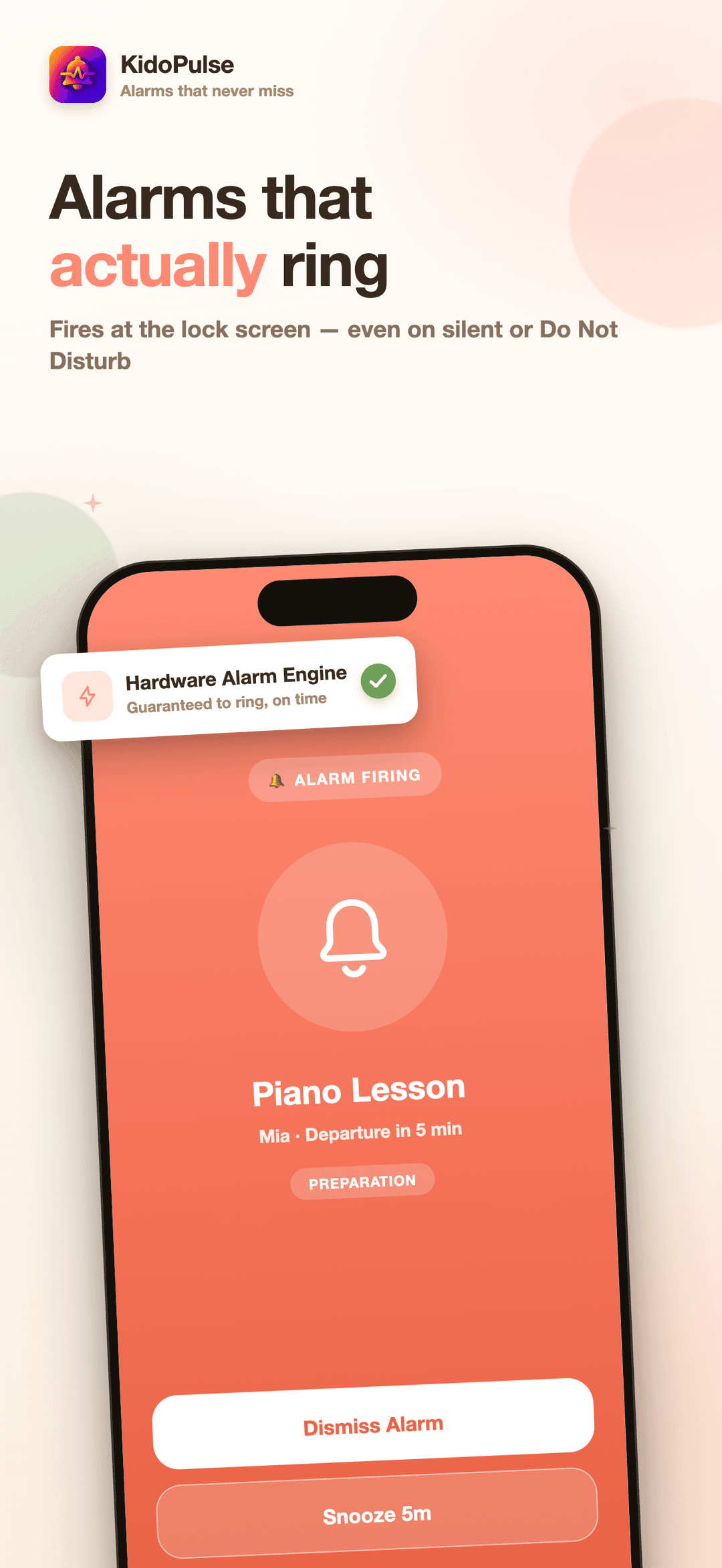
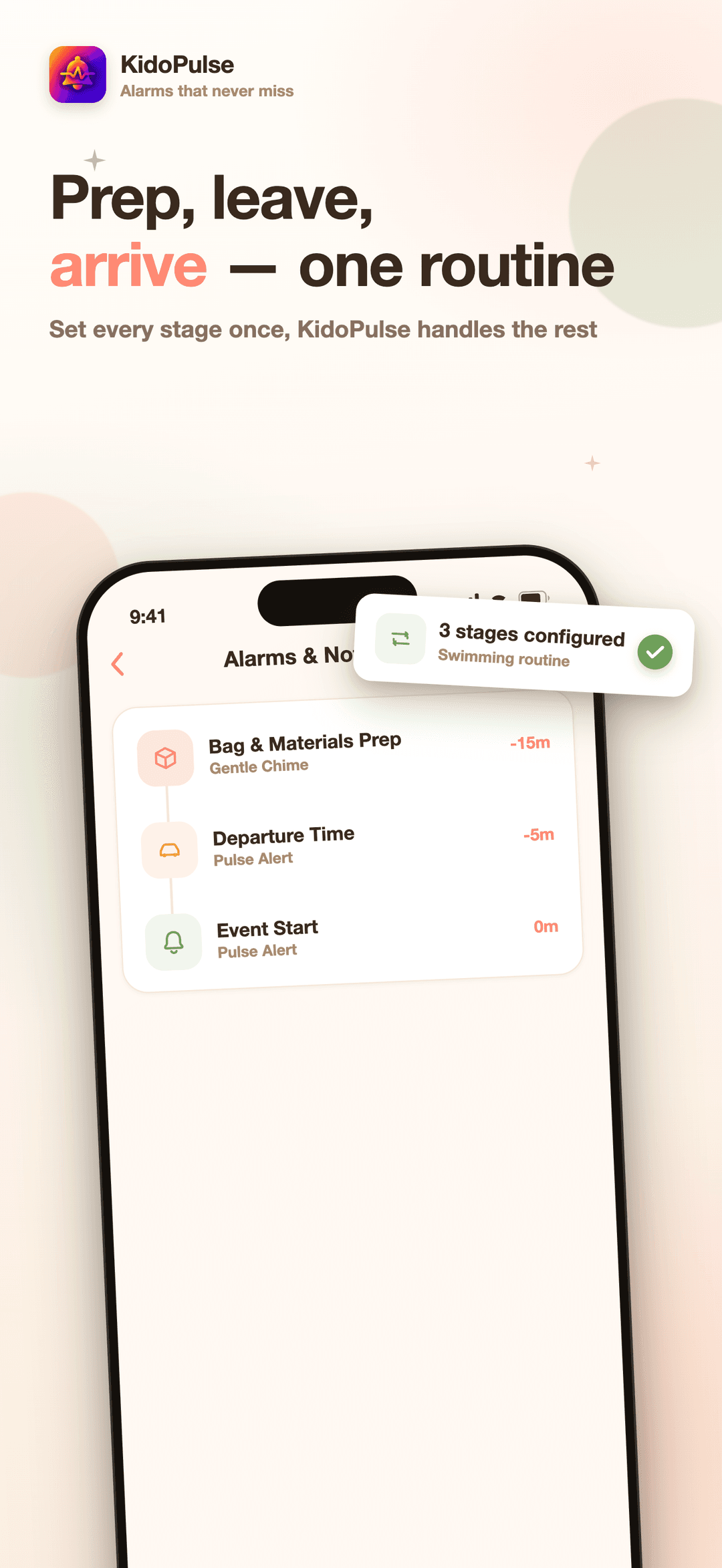
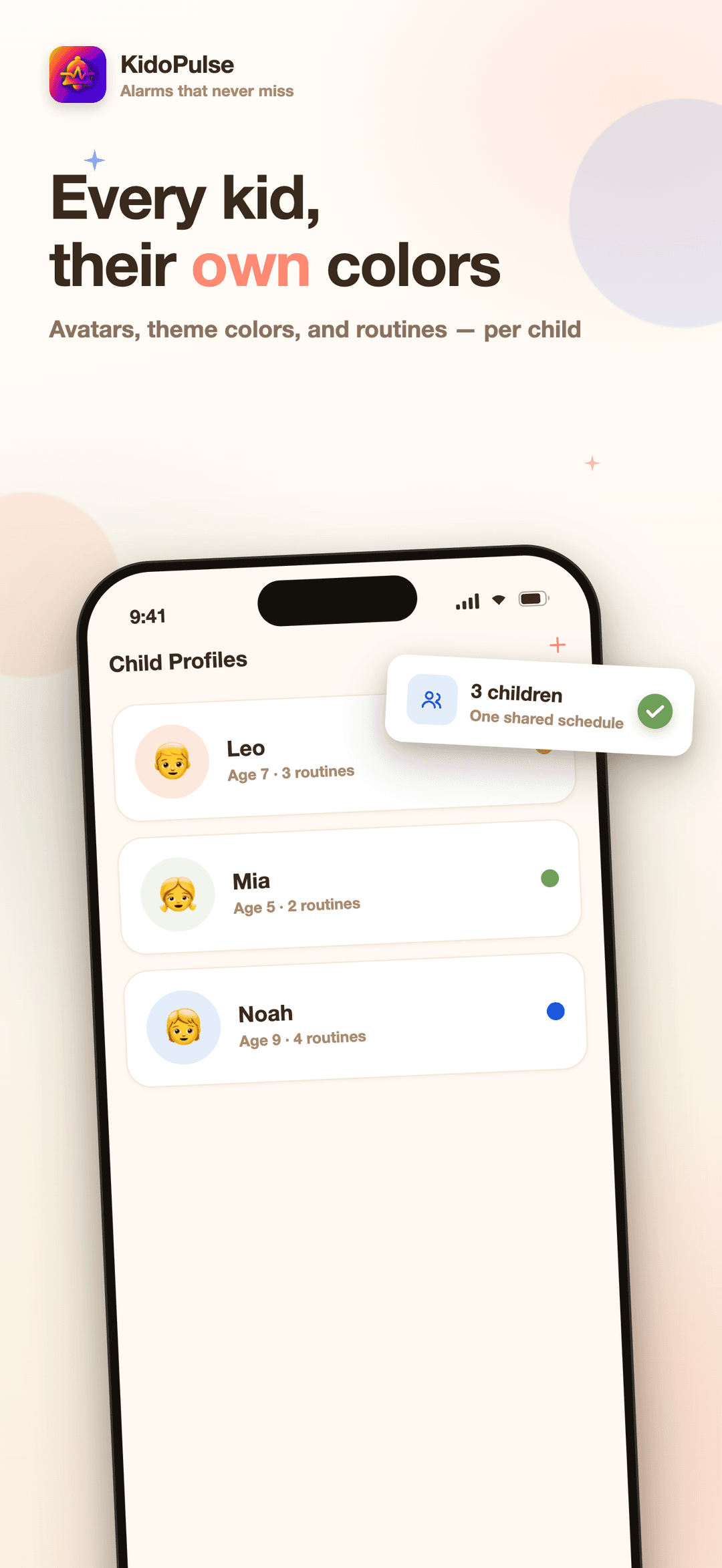
How it works
KidoPulse turns "don't forget swimming on Tuesday" into a chain of alarms that actually fires. Four steps take you from an empty app to a routine that runs itself.
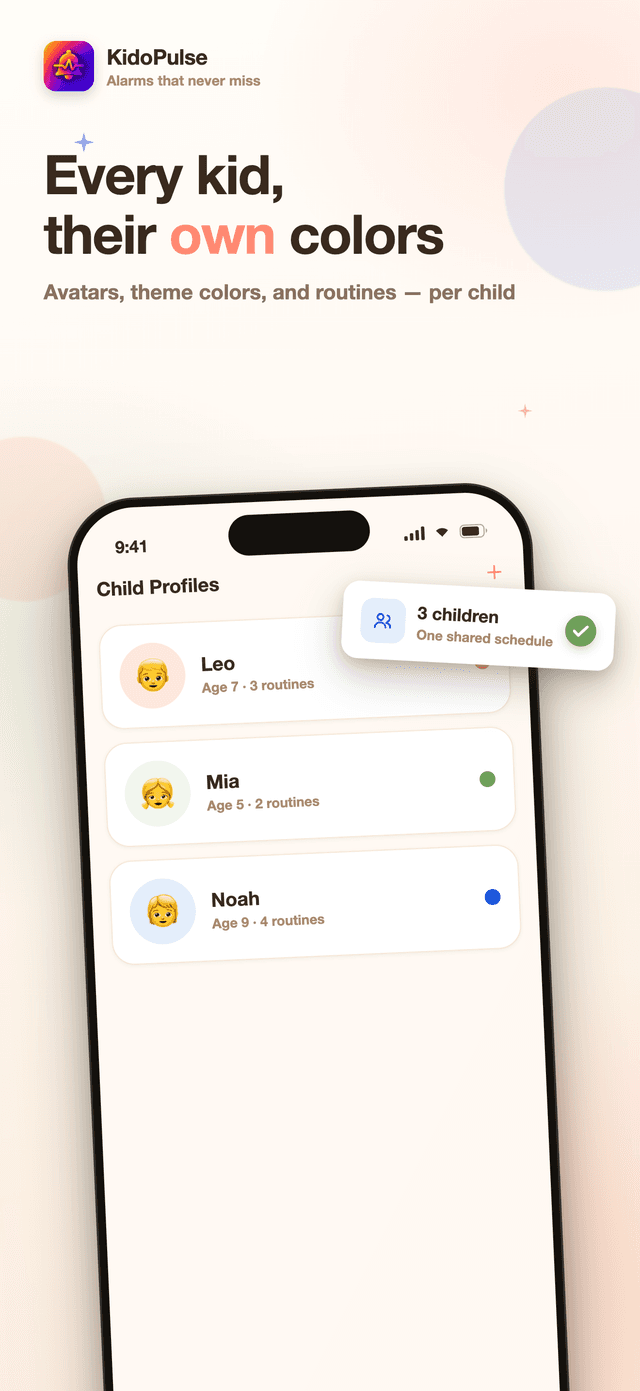
Create a profile with a name, age, a colour, and a photo or emoji avatar. Every activity and every alarm in KidoPulse belongs to a specific child, so a busy week with more than one kid never turns into a guessing game.
A template — "Swimming", "Piano Lesson", "Karate" — carries its own colour, icon, default length, and alarm rules. Onboarding offers a handful of ready-made templates to start from; after that, build as many custom ones as you want, free, forever.
Attach as many stages as the activity needs: a fixed reminder the night before to pack the bag, an offset alarm to leave the house, another to confirm arrival. Give each one a label, a sound, and a priority — normal, urgent, or critical — so the one that matters most doesn't sound like the rest.
Put the activity on the calendar as a one-off, or set it to repeat daily, weekly, or monthly. From then on, the alarm chain regenerates on its own for every occurrence, rings through silent mode when the time comes, and a single day can be skipped or moved without breaking the series.
What it helps with
KidoPulse turns a child's activity into a chain of alarms that actually wake you up: pack the bag the night before, leave the house on time, arrive at the door. Built on real system alarms that ring through silent mode, with a profile per child and everything stored on the phone.
Attach as many alarm stages as an activity needs — a fixed reminder the night before, an offset alarm to leave the house — each with its own label, sound, and priority, so the urgent one doesn't sound like the calm one.
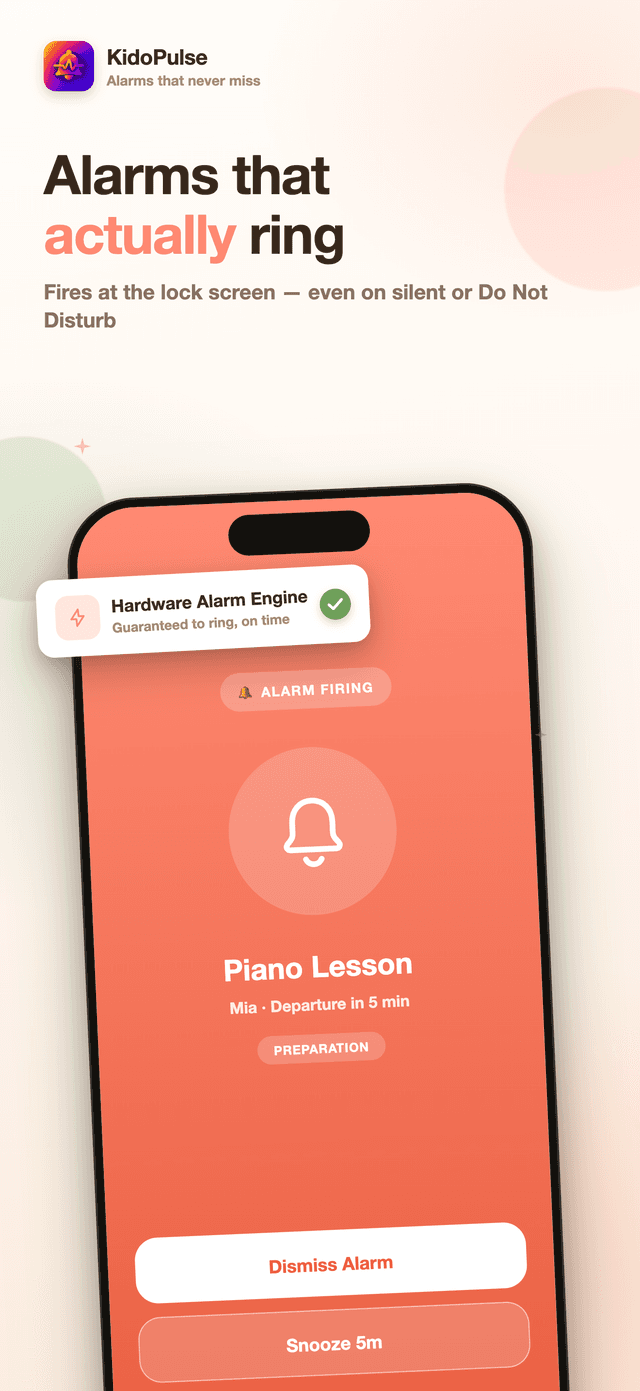
On iOS, KidoPulse schedules through Apple's own AlarmKit, the system behind the Clock app's alarms — so it rings and shows a full-screen alert even on silent or Do Not Disturb. Android uses a full-screen exact-alarm notification for the same effect.
Name, age, colour, and a photo or emoji avatar. Every activity, template, and alarm belongs to a specific child, so a week with more than one kid never turns into a guessing game.
Build a routine once — Swimming, Piano, Karate, Homework — with its alarm chain already attached, then schedule it again and again. Templates are never limited, even on the free plan.
Repeat an activity daily, weekly, or monthly, and its alarm chain regenerates automatically for every occurrence. Skip or reschedule a single day — a snow day, a cancelled lesson — without touching the series.
No account, no cloud sync, children's profiles and schedules stored on the device. A manual JSON backup exists only if you export it yourself, through your own share sheet.
Why it matters
It's rarely the activity itself — it's the bag that didn't get packed the night before, or the five minutes that turned into fifteen while everyone found their shoes. KidoPulse is built around the stage that fails, not the one that doesn't.
A notification is easy to glance at and dismiss. On iOS, KidoPulse's alarms use the same AlarmKit system Apple's Clock app relies on, so the alert that matters rings the way an alarm should — even through silent mode.
What KidoPulse is
KidoPulse is a mobile app for iOS and Android that helps a parent or guardian schedule a child's activities and the chain of alarms that lead up to them. Instead of one reminder for the whole event, an activity template carries several alarm stages — pack the bag, leave the house, arrive on time — each with its own timing, sound, and priority. On iOS the alarms run through Apple's AlarmKit so they ring through silent mode and Do Not Disturb, the same system behind the Clock app. Everything is tied to a profile per child and stored locally on the device, with no account and no cloud sync.
A child profile, an activity template, and the alarm stages attached to it — that's the whole model. Build it once, schedule it as often as the activity repeats.
A generic reminder app is easy to sleep through. KidoPulse is built specifically to cut through that.
A child's name, photo, and schedule are not something to hand to a server casually. KidoPulse has no account and no automatic sync — and it is specific about the little that does leave the device.
FAQ
A normal reminder fires once and is easy to sleep through or swipe away. KidoPulse schedules a chain of alarms around one activity — pack the bag the night before, leave the house, arrive on time — and on iOS it uses the system's AlarmKit to ring a real alarm that sounds even when the phone is on silent or Do Not Disturb, with its own full-screen Stop and Snooze screen. On Android it uses a full-screen alarm notification with the same effect.
On iOS, yes — KidoPulse schedules through AlarmKit, the same system Apple's own Clock app uses for alarms, so it rings and shows a full-screen alert even in silent mode or Do Not Disturb. On Android, alarms use a full-screen intent notification with an exact alarm, which behaves the same way as long as the app's battery and exact-alarm permissions stay enabled.
Each activity template can carry several alarm rules. A rule can fire at a fixed time the day before ("21:00 the night before — pack the swim bag") or at an offset before the event starts ("45 minutes before — leave the house"). Each stage gets its own label, sound, and priority, so the calm reminder and the urgent one don't sound the same.
Yes — KidoPulse holds a profile per child with a name, age, colour, and photo or emoji avatar, and every activity and alarm is tied to a specific child. The free plan covers one child profile; Premium removes that limit.
An activity can repeat daily, weekly on chosen days, or monthly, and its alarm chain regenerates for every occurrence automatically. A single occurrence can be skipped or rescheduled — a snow day, a cancelled lesson — without touching the rest of the series.
Your children's profiles, activities, and alarms are stored on your device — there's no KidoPulse account and no server holding this data. You can export a JSON backup at any time through the share sheet and import it on another device; KidoPulse does send anonymous usage analytics (Amplitude) to help us improve the app, but never your children's names, activities, or schedules.
Free covers one child profile and one scheduled activity at a time, and activity templates — the reusable routines like "Swimming" or "Piano" — are never limited, even on the free plan. Premium removes both caps: unlimited children and unlimited activities scheduled at once, plus any Pro feature added later. It's offered as a monthly or annual subscription, managed entirely through the App Store or Google Play.
KidoPulse is a mobile app for iOS and Android. The interface currently ships in English, Turkish, German, Spanish, and French, and it auto-detects your device's language on first launch.
Get started
KidoPulse turns a child's activity into a chain of alarms that actually wake you up: pack the bag the night before, leave the house on time, arrive at the door. Built on real system alarms that ring through silent mode, with a profile per child and everything stored on the phone.